Getting Started
Coloring Book Engine is a desktop app that takes you from a rough idea to a finished coloring book — planning, line art, coloring, a print-ready PDF, and even promo videos — in one continuous workflow. You don’t need to be an artist, and you don’t need to know anything about print specifications.
What is Coloring Book Engine?
Section titled “What is Coloring Book Engine?”Most coloring-book workflows are stitched together from four or five separate tools: one for ideas, one for image generation, one for cleanup, one for layout, and a spreadsheet to keep it all straight. Coloring Book Engine replaces the whole chain with six stages that live in the sidebar, in the order you’ll use them:
- Plan — decide what your book is about and what goes on every page
- Sketch — generate consistent, print-ready line art for all pages
- Coloring — create colored versions for your cover and marketing
- Book — assemble everything into a KDP-ready PDF and validate it
- Assets & Videos — turn your pages into coloring timelapse videos for social media
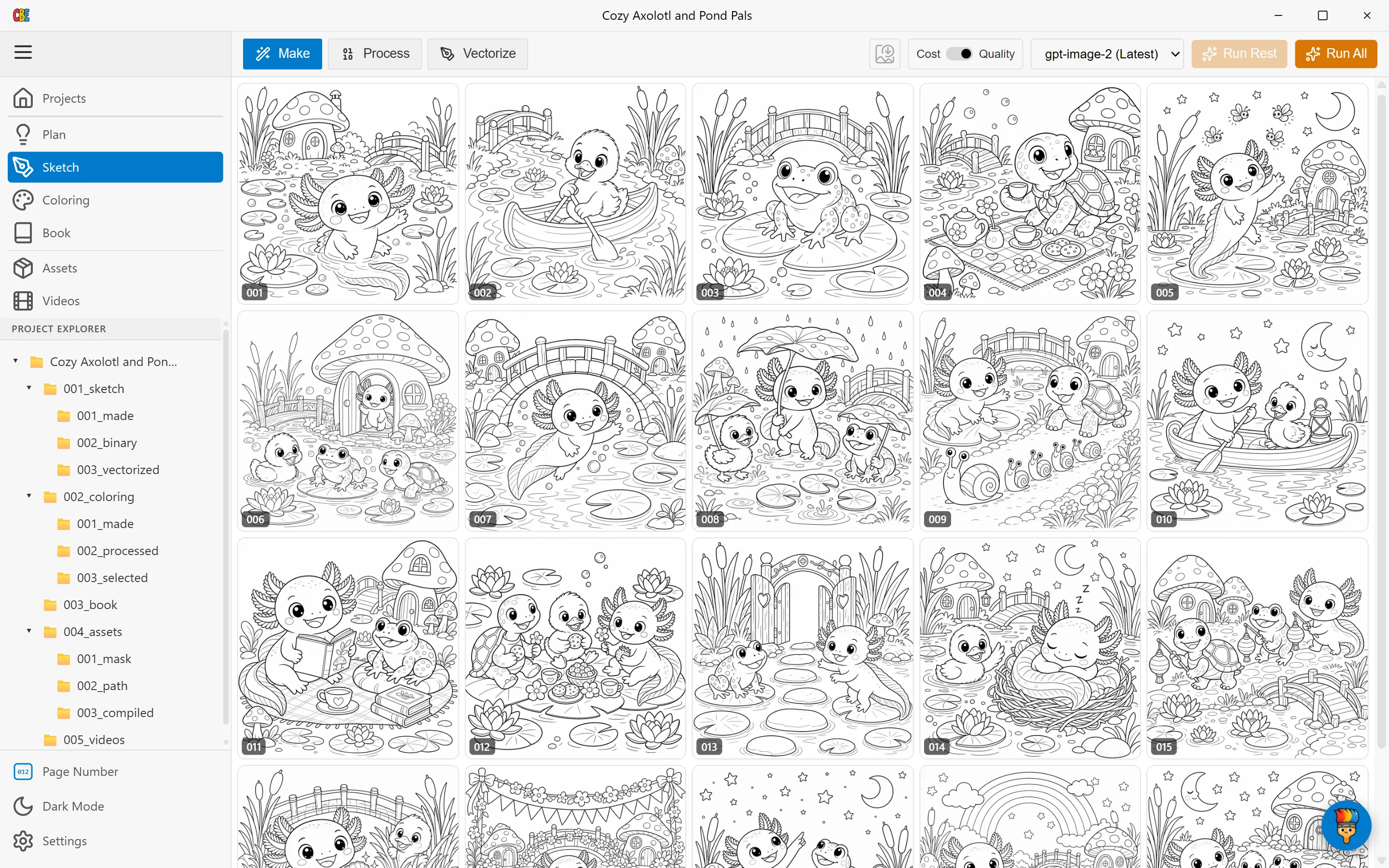
Every page above features the same axolotl character — that consistency across a whole book is the hardest thing to get from AI tools, and it’s the thing Coloring Book Engine is built around.
See What You’ll Build
Section titled “See What You’ll Build”This tutorial follows one real project from start to finish: Cozy Axolotl and Pond Pals, a children’s coloring book. By the last chapter you will have:
- A complete set of print-ready line-art pages featuring a consistent main character
- A designed cover and auto-generated title/copyright pages
- A validated, KDP-compliant PDF you can upload to Amazon
- Coloring timelapse videos ready for Reels, Shorts, and Pinterest
Connect Your AI
Section titled “Connect Your AI”Coloring Book Engine uses your own AI account for image generation — there is no subscription and no middleman markup. You pay your AI provider only for what you actually generate.
On the Projects screen, choose Connect Your AI, pick your provider (OpenAI or Google), and paste your API key. Two things worth knowing:
- Your key stays on your PC. It is stored locally and used only to call your provider directly.
- You stay in control of cost. A cost/quality toggle lets you draft cheaply and switch to full quality when it counts, and Coloring Book Engine never regenerates work you’ve already paid for.
Start with the Free Trial
Section titled “Start with the Free Trial”You can walk through this entire tutorial on the free trial — plan a book, generate pages, and export. When you’re ready to publish at full scale, upgrading removes the trial’s page limit. Get the full version at coloringbook.dev.