
Activate Your License & Connect Your AI
Setting up the app takes two one-time steps: activate it with a license key, and connect the AI account that powers generation.
Activate Your License
Section titled “Activate Your License”Coloring Book Engine runs on a license key — either a trial key (free, from coloringbook.dev) or a full license. After a purchase, your key arrives by email, together with the download link:
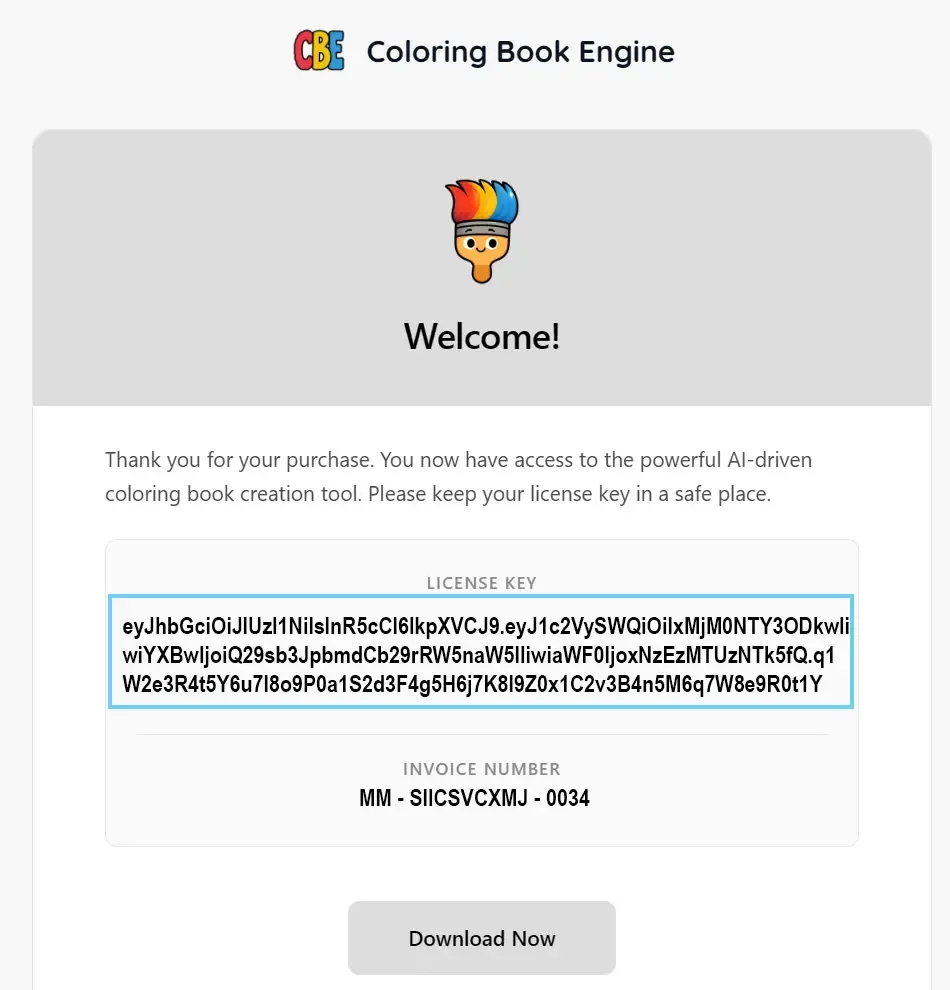
When the app first starts, the Activate Your License dialog asks for that key:
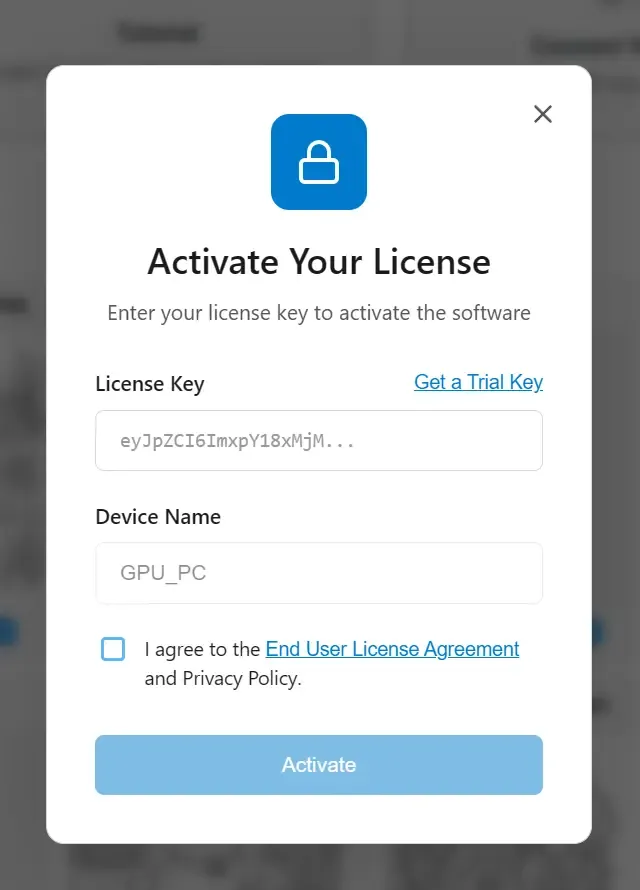
- Paste your License Key.
- Optionally give this computer a Device Name (handy later if you use more than one machine).
- Agree to the End User License Agreement and press Activate.
Don’t have a key yet? The Get a Trial Key link in the dialog takes you straight to the free trial.
Once activated, the license panel (Settings → License) shows your Plan, how many Devices are in use, and the expiry (Lifetime for a full license):

A few things worth knowing:
- Trial keys unlock the full workflow with some limits (such as the number of pages per project). Everything in this handbook works on a trial.
- Device seats — your license allows a set number of devices. If you hit “Maximum Activations Reached”, open Manage Devices and Deactivate a machine you no longer use, then activate the new one. Moving to a new PC is exactly this: deactivate old, activate new.
- Upgrading from trial to full is the same dialog with your new key.
Connect Your AI
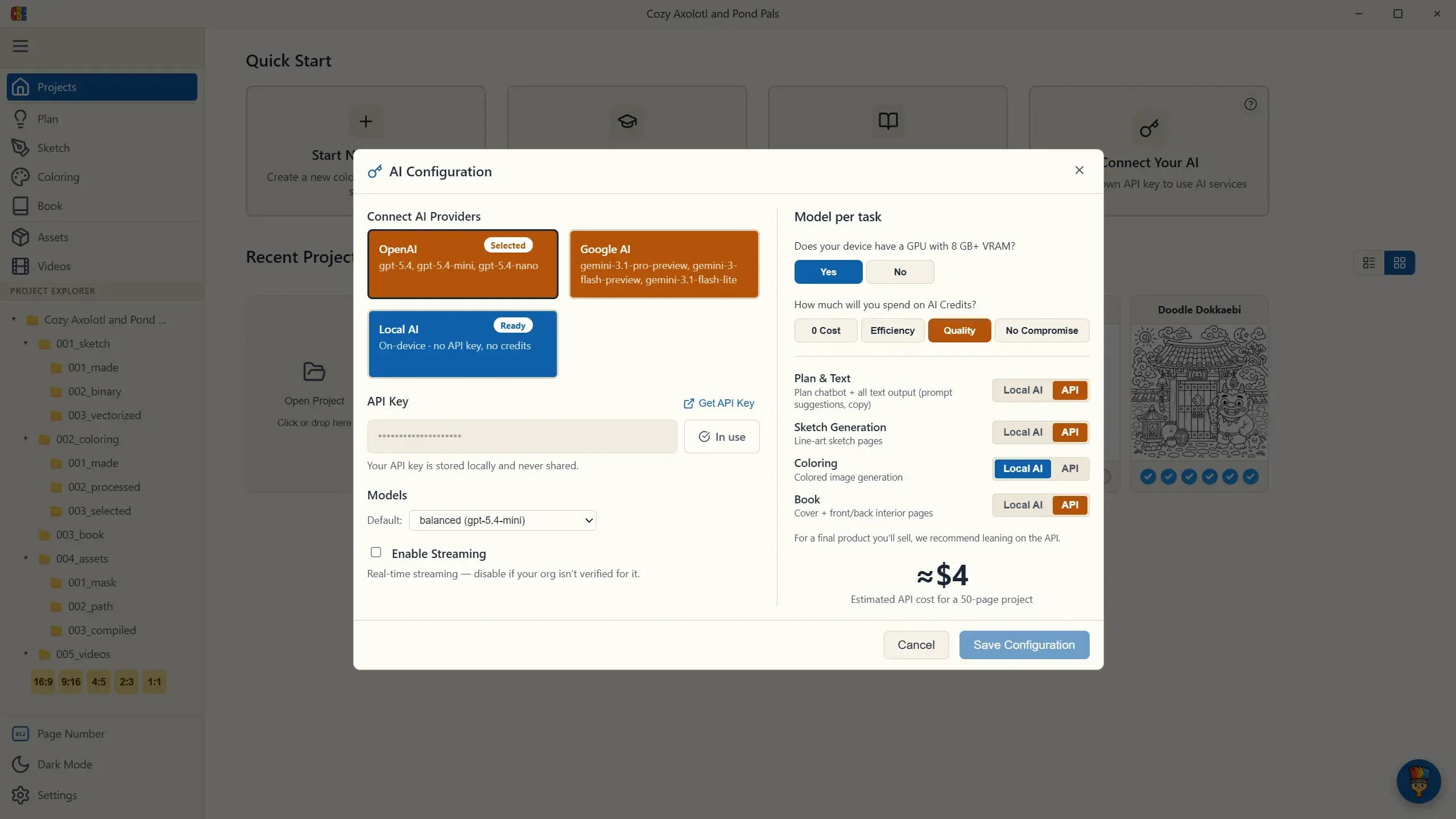
Section titled “Connect Your AI”Coloring Book Engine runs its AI on your device by default — with a capable GPU you can generate every stage on Local AI, no key and no credits. Connecting a cloud provider is optional: add one for the extra quality of a top-tier model on the passes that sell your book. There’s no subscription and no middleman markup — you pay your provider only for what you actually generate. (App Conventions explains how each task is routed.)
On the Projects screen, choose Connect Your AI, pick your provider, and paste your API key — OpenAI or Google AI for the image-generation stages (a Get API Key link takes you straight to your provider’s key page):
Don’t have a key yet? Grab one from your provider’s official page — it takes a couple of minutes:
Two things worth knowing:
- Your API key is stored locally on this PC and used only to send requests directly to the provider you choose.
- Your own artwork can be the starting point of the workflow. Connect a generative AI, though, and Coloring Book Engine becomes more than an image generator — it becomes the execution environment that turns the coloring book in your head into a ready product, starting at the planning stage. Because the AI can carry the work forward through every production stage, we recommend the latest top-tier model for the full workflow.
With both keys in place, you’re ready to create your first project.