
Render Coloring Timelapse Videos with Music
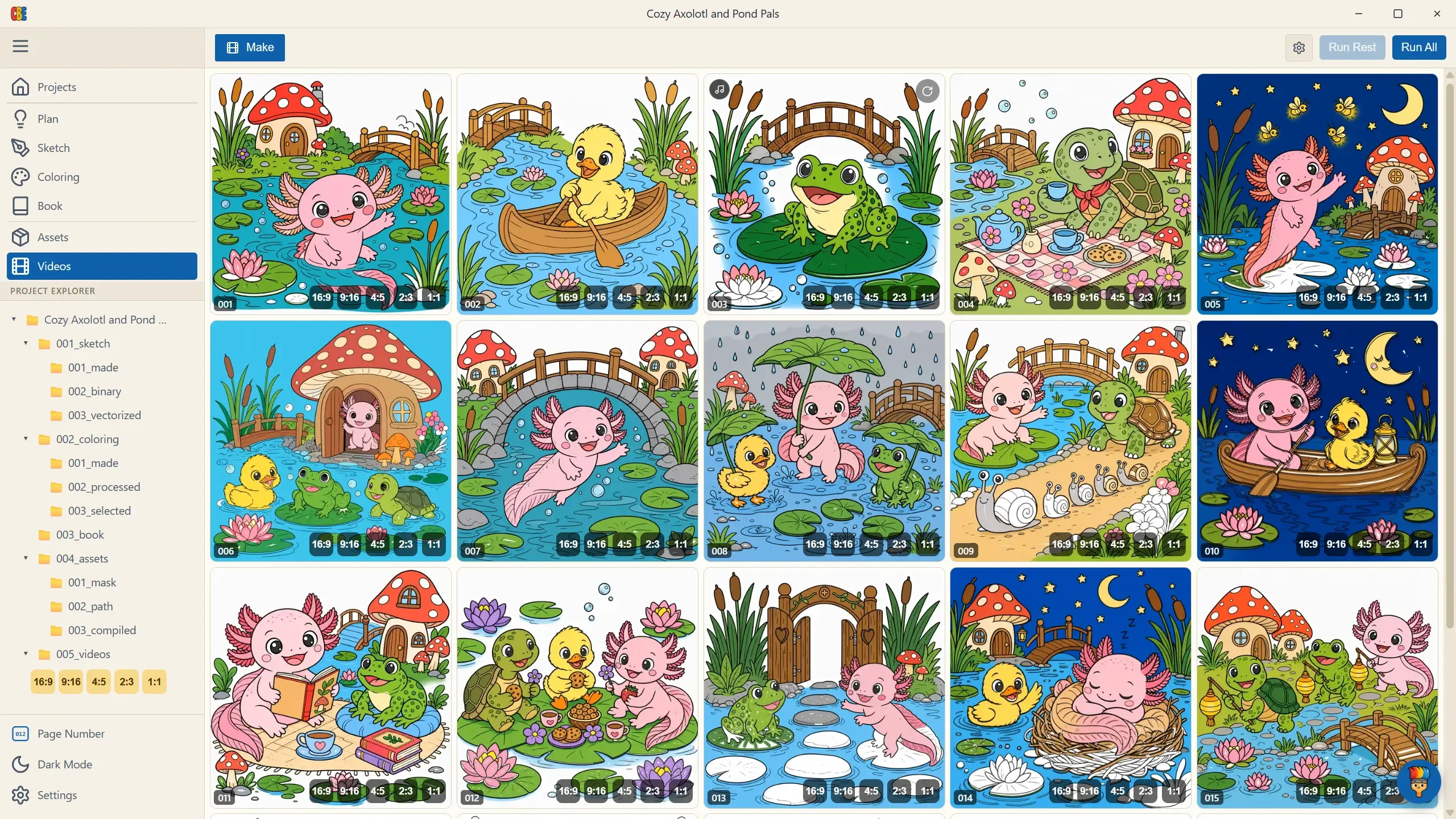
The Videos stage renders the finished product: your pages coloring themselves in. Press Run Rest (fills missing videos) or Run All (re-renders everything, with an overwrite confirmation) and watch the grid fill with live progress. Rendering is local — GPU-accelerated when available — and costs nothing.
Finished cards autoplay as you scroll. Click one for a full-screen preview with sound; hover for a regenerate button; right-click → Show in Explorer for the files.
The Settings Panel
Section titled “The Settings Panel”The gear button opens the render settings.
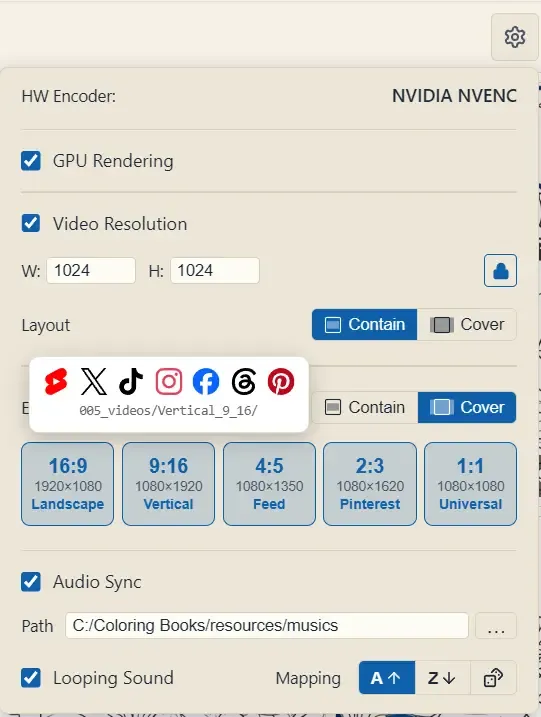
| Setting | What it does |
|---|---|
| HW Encoder (read-only) | The hardware video encoder auto-detected on your machine. |
| GPU Rendering (default: on) | Renders the coloring-animation frames on the GPU. Turn off only if you hit driver issues. |
| Video Resolution (default: off) | Off = videos match your page resolution. On = set your own W × H (snaps to even pixels), with an aspect lock that keeps your project’s ratio, and a Layout choice — Contain (scale to fit, letterbox on aspect mismatch) or Cover (scale to fill and crop the overflow). This is how you make a one-off custom size like 1080×1920. For the standard platform sizes, use Export for social below instead. |
| Audio Sync (default: off) | The killer option — see below. |
Audio: Videos That Color to the Music
Section titled “Audio: Videos That Color to the Music”Turn on Audio Sync and the pen strokes are driven by the music itself — reveals land on the audio’s onsets, and the track is muxed into the final video.
| Setting | What it does |
|---|---|
| Path | A folder of tracks (mp3/wav/flac/ogg/m4a/aac). |
| Mapping | How tracks pair with pages: A↑ alphabetical, Z↓ reverse, or dice — random but deterministic (each page keeps the same track across re-renders). Fewer tracks than pages? They loop around. |
| Per-page override | A music button on each card assigns a specific track to that page (hover it to clear). Overrides beat the mapping rule. |
| Looping Sound (default: off) | Tailors the animation to a seamlessly looping track — for posts that replay endlessly. |
Export for Social
Section titled “Export for Social”One coloring page, one shape — but every platform wants a different frame. Export for social renders your pages a second time in each aspect ratio you pick, straight into 005_videos/<format>/, ready to upload.
Turn on the ratios you want in the settings panel. Each one is a full, separate render — not a crop or a resize of the main video — so the line quality stays razor-sharp at that platform’s exact pixel size:
| Ratio | Role | Output size | Folder |
|---|---|---|---|
| 16:9 | Landscape | 1920 × 1080 | Landscape_16_9 |
| 9:16 | Vertical | 1080 × 1920 | Vertical_9_16 |
| 4:5 | Feed | 1080 × 1350 | Feed_4_5 |
| 2:3 | 1080 × 1620 | Pinterest_2_3 |
|
| 1:1 | Universal | 1080 × 1080 | Universal_1_1 |
Because each format is its own render, selecting all five multiplies your render time by five. The batch counter and timer account for every variation, and selecting the full set can take up to several hours — the settings panel warns you before you commit.
Layout, and the smart cover retiming
Section titled “Layout, and the smart cover retiming”The Layout toggle next to Export for social sets how each page fills the new frame — Contain (letterbox) or Cover (crop to fill, the default).
Cover is the interesting one. When a wide 16:9 page is cropped into a tall 9:16 frame, big slices of the drawing fall outside the visible box. A naive crop would still spend animation time coloring those hidden regions — the pen would vanish off-screen and the visible area would just sit there, stalling. CB Engine instead retimes the animation to the crop: strokes that live outside the frame are filled instantly, and the full runtime is spent on what the viewer actually sees. Every format stays lively end to end.
On each card
Section titled “On each card”Once a page has social renders, small buttons appear in the card’s bottom-right — one per format (16:9, 9:16, …). Click one to preview that exact render. While a format is rendering you’ll see a progress ring in its place; a failed format shows a ⚠ chip you can click to retry just that one. A small grey * means the render is stale — the settings changed since it was made — so re-run to refresh it.

Run Rest fills in every missing render, including social formats you enabled after the main videos were already done. Run All re-renders everything (main + every selected format) behind the overwrite confirmation.
Which format for which platform?
Section titled “Which format for which platform?”Each platform has the ratios it’s built for. ⭐⭐ = the platform’s native, full-screen format; ⭐ = supported/usable; blank = pick a better ratio.
| 16:9 | 9:16 | 4:5 | 2:3 | 1:1 | |
|---|---|---|---|---|---|
 YouTube YouTube |
⭐⭐ | ||||
 Shorts Shorts |
⭐⭐ | ||||
 X X |
⭐⭐ | ⭐ | ⭐ | ||
 TikTok TikTok |
⭐⭐ | ||||
 Instagram Instagram |
⭐⭐ | ⭐ | ⭐ | ||
 Facebook Facebook |
⭐⭐ | ⭐ | ⭐ | ||
 Threads Threads |
⭐⭐ | ⭐ | |||
 Pinterest Pinterest |
⭐ | ⭐⭐ | ⭐ |
Want the widest reach from the fewest renders? 9:16 Vertical alone lands well on almost every feed; add 16:9 for YouTube and 2:3 for Pinterest to cover the rest.
Reading the Grid
Section titled “Reading the Grid”- Bottom-right format buttons — jump to each social render; a progress ring means it’s still rendering, a ⚠ chip means it failed (click to retry), a grey
*means it’s stale. - Yellow card, “Missing: …” — that page’s assets aren’t compiled yet; go back to Assets.
- “Failed” with a reason — hover for the full error, click retry.
- Batch timer in the header shows the count (main + every variation) and elapsed time for the current/last run.
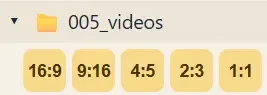
- Explorer shortcut — under 005_videos in the project explorer, a row of gold ratio chips (
16:9,9:16, …) opens each format’s output folder in one click.
From the Automate panel
Section titled “From the Automate panel”The CBE Automate dashboard has its own compact Videos row of ratio toggles. They’re wired to the same app-wide setting as this page, so switching a format on there — or here — keeps both in sync for hands-free batch runs.