Planning Your Coloring Book — Plan Stage Overview
Local generation does not consume API credits. Plan chat, image analysis and project drafting also follow Plan & Text; they incur provider usage charges when API is selected. Presets select routes, while Cost / Quality controls image-generation quality. Estimates vary with model, pages, references and retries.
Create AI draft uses the Plan & Text selection at the moment you start: image analysis, Brainstorm and all page prompts use that same route. It does not generate new page images. Local image analysis needs Qwen3.5; the older Qwen3 model remains text-only. The full Brainstorm and page table are saved after every page validates. A failed or stopped draft preserves imported artwork and completed cached work; Retry draft reuses it. Errors identify the provider, phase and image or page, without switching providers.
How the Page Is Laid Out
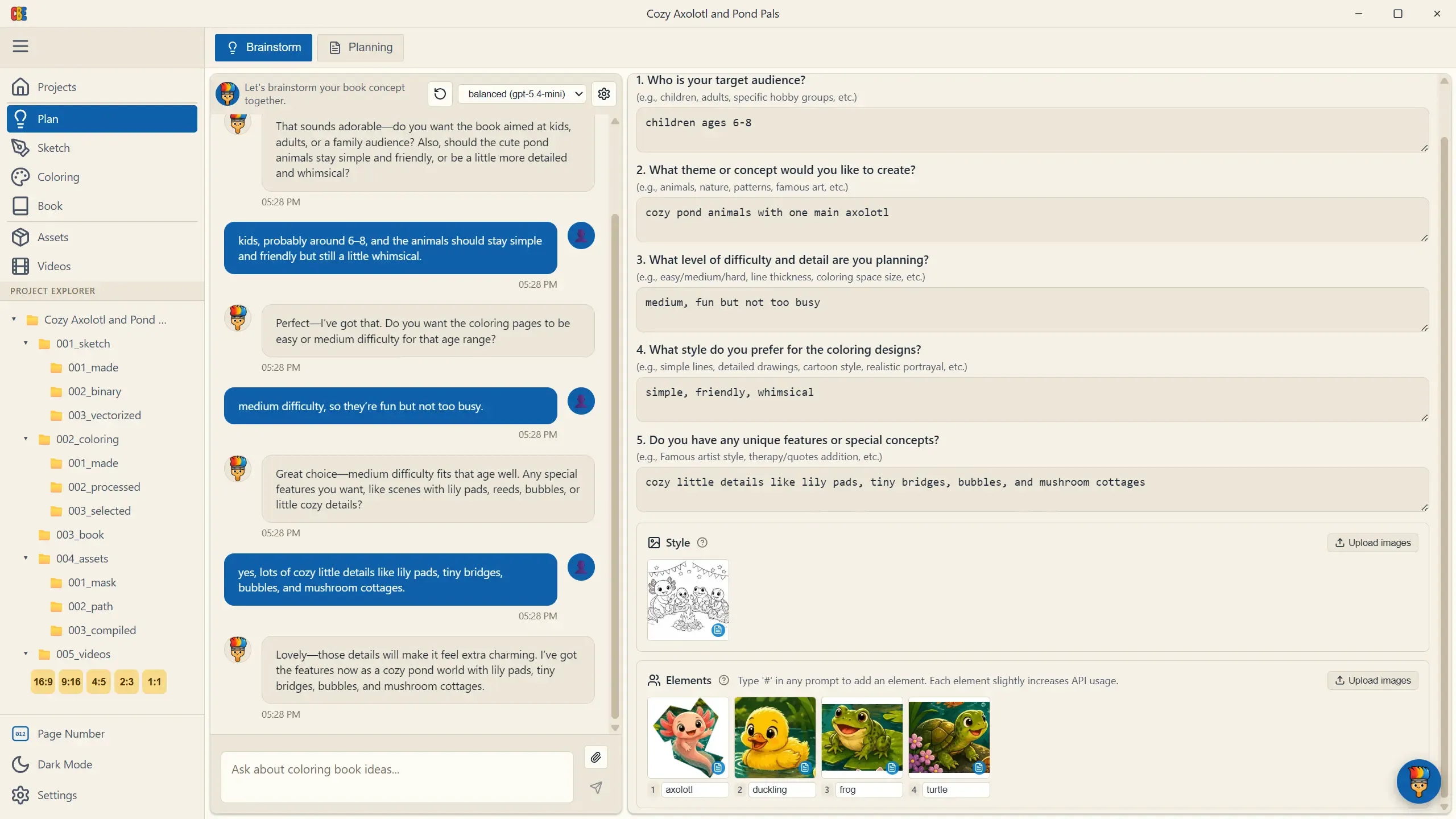
Section titled “How the Page Is Laid Out”Plan has two sub-tabs, with an AI chat assistant always docked on the left:
- Brainstorm — answer five key questions about your book, and register reference images in the Image Pool.
- Planning — the page-by-page table of subjects and prompts that drives every later stage.
The chat assistant is context-aware: on the Brainstorm tab it helps you develop the concept (and can fill the form for you); on the Planning tab it can draft or revise the entire table.
Why This Stage Matters
Section titled “Why This Stage Matters”Everything you write here is reused downstream automatically: brainstorm answers are woven into every image prompt, Image Pool characters keep their appearance across pages, and the planning table is the source of truth that Sketch and Coloring read. Ten good minutes in Plan save hours of regeneration later.
Brushey
Section titled “Brushey”When all five Brainstorm answers and every page’s subject and sketch prompt are filled, Brushey keeps a pulsing gold halo behind it while you stay in Plan. With reduced motion enabled, the halo is steady.